


Bandana Job Search
4.750.00 Reviews
App Specs
- Version
- 1.0.29
- Updated On
- License
- Free
- Downloads
- 10,000+
- Developer
- Bandana
- Categories
- Business
- Platform
- Android
Screenshots
 Analysis by AppCompare
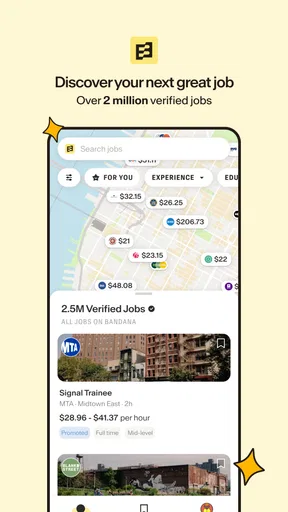
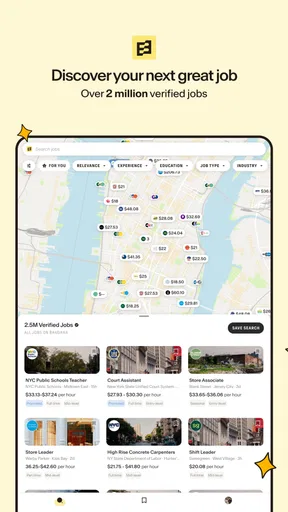
When I look for work, I want to answer two practical questions quickly: where are the openings, and what might the pay actually be? Bandana Job Search is a free business app built around those concerns, with a map-based way to explore nearby jobs and pay information intended to be useful before applying. I see its appeal most clearly for people whose search is tied to a particular neighborhood or commute, rather than those who want a broad career-planning toolkit.
A search that starts with your real week
Before opening a job-search app, I find it useful to decide what “nearby” means in practice. It might be a short walk, a commute you already make, or a wider area you could reach if the role is worthwhile. Starting with that boundary helps prevent a map from becoming a distraction: instead of browsing pins just because they are there, you can judge whether each location fits your day.
That approach is especially helpful if you are balancing work with caregiving, study, or another job. A role that looks attractive in isolation may be impossible to accept if its location adds a difficult trip at the wrong time. I would use local search to identify possibilities, then consider the whole routine before spending time on an application.
Free access and the value of a local search
The app is free to download, so there is no purchase decision to make before trying its core job-search approach. That matters when you are already spending time and energy on applications: you can test whether the local listings suit your needs without adding an upfront app cost. I would treat “free” as a useful starting point, not as a promise about every possible service outside the app.
Bandana, the developer, presents this as a focused job-search tool rather than a general business suite. Its central value is the combination of nearby openings, a map-oriented search, and pay details. In a conventional list of job results, location can feel like an afterthought; seeing opportunities spatially can make it easier to judge whether a role is genuinely practical for your routine.
The app has a 4.7 average from around 1,100 ratings, and it has passed 10,000 installs. Those figures suggest that it has found an audience, though I would not use popularity alone to decide whether it fits a particular occupation or area. The more useful test is whether its nearby results match the kind of work you are actually willing and able to take.
Its stated reach is over two million verified jobs, but a large overall pool does not guarantee that every town, trade, shift, or experience level will be equally well represented. I would start with a realistic location and job type, then judge the results themselves. A broad headline number can be encouraging; relevance to your daily life is what makes the app worthwhile.
Worth Reading Before You Choose

Flipboard Shows What News Apps Must Do Beyond the Feed

Switching to Android Auto Means Rethinking Your Driving Routine

Google Calendar Makes a Crowded Week Easier to Manage

Ludo King Makes the Most of the Minutes Between Plans

Baby Panda World Brings Quick Play to Modern Phones, but Its Game Library Feels Busy

ESPN’s Live Game View Makes Following Close Games Easier
What the map changes about the search
A map can help answer a question that job titles alone do not: how does a possible workplace fit into the rest of my day? When comparing openings, I would use the map to spot clusters near home, transit routes, or an area where I already spend time. That can reveal practical options that are easy to miss when scanning a long list ordered by text or date.
There is also a useful trade-off here. A map gives location more prominence, but it can tempt you to favor a convenient pin before checking whether the role, schedule, and compensation make sense. I would use geography to narrow the field, not as a substitute for evaluating the job. A nearby opening is not automatically the best one if its hours or duties do not suit you.
One practical workflow is to search around more than one meaningful place rather than treating your home address as the only center of the search. For example, someone who travels to a regular class, family commitment, or second job might compare openings near those destinations too. That can turn a simple “close to me” search into a more honest picture of which jobs fit the week as it is actually lived.
Pay information is useful, but still needs context
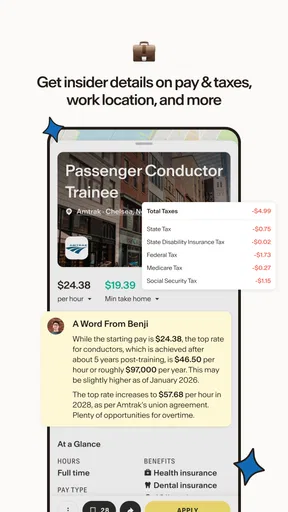
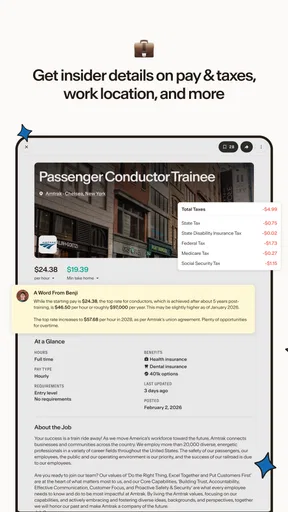
Seeing pay details alongside local opportunities can help you decide which applications deserve your time. I would use the information as an early filter: if an opening appears far below what I need, I can move on; if it looks promising, I can investigate the role more carefully. That is more useful than spending an evening applying broadly and only later discovering that the compensation is not workable.
Pay is not the whole value of a job, of course. Hours, commute, responsibilities, and the stability of the work can change how attractive a figure feels. I would compare like with like and avoid treating one displayed amount as a complete picture of take-home income or total compensation. The app’s pay focus is a helpful starting point, while the final judgment still belongs to the applicant.
For a realistic everyday example, imagine having a short break after work to plan a search for the next week. I would set a manageable local area, scan the map for clusters that are reachable, and use pay details to decide which openings merit a closer look. Then I would keep a separate note of questions about hours, duties, and application requirements. This makes the app part of a deliberate routine rather than another feed to scroll through.
Where it can fall short
The map-first approach will not suit every search. If you are looking for remote work, willing to relocate, or targeting a specialized role with few local openings, geography may be less helpful than a career-focused job board with stronger filters for that field. Bandana’s local emphasis is a strength when place matters, but it can feel restrictive when your best opportunity is not nearby.
Search results also require judgment. Even when a job is described as verified, I would still read the listing carefully and confirm the important details through the application process. Verification can make discovery feel more reassuring, but it should not replace ordinary caution about employer identity, job duties, and what an application asks you to provide.
There is a broader workflow limitation to consider: this is a job-search app, not a complete employment plan. People who need detailed resume editing, interview preparation, professional networking, or long-term career guidance may want separate tools alongside it. I would not expect the local map and pay emphasis to replace those services; the app is most compelling when the immediate problem is finding and comparing nearby openings.
Another trade-off is that a map can make a search feel more tangible while still leaving important practical questions unanswered. A pin might be close as the crow flies but awkward to reach in real life, especially if your commute depends on transit, childcare arrangements, or a fixed schedule. I would check the route independently before committing to an application, and I would revisit the search area if the first set of results is too narrow.
Who is likely to get the most from it
I think the strongest fit is someone seeking work in a defined local area who wants location and pay to shape the first round of decisions. That might be a person changing jobs without changing neighborhoods, returning to work, or comparing opportunities around a regular commute. The map can help turn a vague search into a set of places worth investigating.
It may also be useful if you are exploring a new area and want to see what kinds of openings appear around different neighborhoods. In that case, I would compare a few locations and note whether the available work is concentrated in places you can realistically reach. This is a more grounded use than browsing the entire region without a plan, because it connects the search to transportation and daily routines.
On the other hand, I would skip it as a primary tool if your search depends on a niche profession, a national or international reach, or extensive application-management features. A specialized board may provide better occupational context, while a standard general-purpose job site may offer a broader search workflow. You can still use Bandana as a local cross-check, but it need not be the center of your process.
Getting more from a short trial
I would make a first session a comparison exercise rather than a marathon. Look at a few nearby areas you could genuinely commute from, then compare the kinds of roles and pay details that appear. If one neighborhood produces a very different mix from another, that can help you decide where to focus your next search, even before you apply. Keep a simple note of listings that merit follow-up so you can compare them later without relying on memory.
If the first search feels too limited, adjust one variable at a time. Widen the area, try a different type of work, or look around another regular destination; changing everything at once makes it harder to tell what improved the results. This is a useful discipline with any map-based job search, because a sparse screen might reflect the chosen radius or role rather than a lack of opportunities overall.
People often wonder whether a map can replace a traditional job board. I would not treat the two as interchangeable. A broad job site is usually the better starting point when you want to search widely across employers, occupations, or regions. This app is more useful as a location-led lens: it helps you assess whether an opportunity fits your geography, while a broader or specialist service may do more for industry-specific discovery or career tools.
Practical details and final verdict
The app is rated for Everyone and requires Android 7.0 or later. Its current release is version 1.0.29, and it was released on September 1, 2026. I would check that your device meets the minimum requirement before planning to use it, especially if you keep an older phone as your main device.
With around 50 written reviews alongside its broader rating base, there is some user feedback to consider, but individual experiences can vary with location and the kinds of jobs being sought. I would give the app a short, focused trial: search the areas you can reach, inspect whether the openings fit your line of work, and see whether the pay information helps you make decisions faster. If the local results feel thin or mismatched, that is a good reason to switch to a broader or more specialized alternative rather than forcing the fit.
My verdict is that Bandana Job Search is worth trying if nearby work and pay are the main filters in your search. Free access lowers the barrier to testing it, and its map-based perspective offers a practical way to connect openings with the places you actually go. I would keep expectations focused: it can help you discover and compare local opportunities, but it does not remove the need to verify job details or use other resources when your search calls for deeper career support.
Pros
- Search for jobs by location
- keyword
- and other criteria.
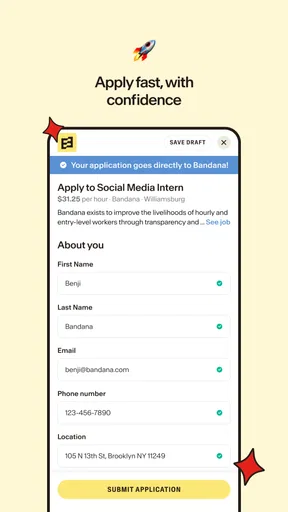
- Create a profile to present your skills and work experience.
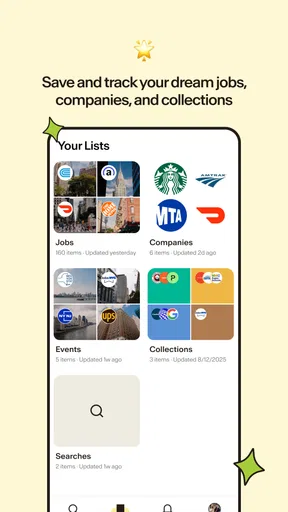
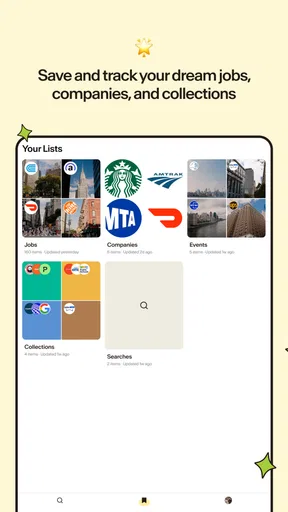
- Save promising listings to review or apply to later.
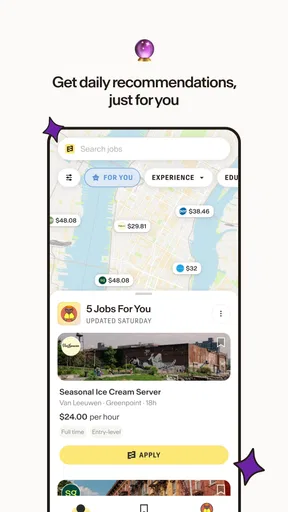
- Get alerts when new jobs match your search preferences.
- A straightforward interface makes browsing job listings easy.
Cons
- Available listings may vary significantly by location.
- Some positions may be outdated or already filled.
- Job details and application steps can differ by employer.
- Alerts may require fine-tuning to avoid irrelevant matches.
- The app cannot guarantee a response or interview from employers.
FAQs for Bandana Job Search
What is Bandana Job Search, and how does it help with finding work?
Bandana Job Search is a job-search app designed to help people explore employment opportunities and connect with potential employers. Its usefulness depends on the listings available in your area and the information you provide when searching or applying. Before relying on any opening, read the full listing, check the employer and role details, and confirm that the opportunity is still active through the employer’s official channels.
Can I use Bandana Job Search for free?
Check the app’s current listing in the Google Play Store or Apple App Store for its pricing and any in-app purchases, since terms can change over time. Even when browsing or creating an account is free, a job search may involve other costs, such as travel or application-related expenses. Be cautious if anyone asks you to pay upfront to secure a job, interview, or guaranteed placement.
Do I need an account to search or apply for jobs?
Account requirements can vary by app version and by the features you want to use. You may be able to view some job information before signing in, while saving opportunities, managing applications, or contacting employers may require an account. Review the requested permissions and profile fields before registering, and share only the personal details needed for your job search.
Is Bandana Job Search available in my city, and are its listings reliable?
Availability and the number of relevant jobs can depend on your location, the types of roles you are seeking, and how recently employers have posted. Search results are not a guarantee that a position is open or that an employer has verified every detail. Confirm the company, location, pay, and application instructions before sharing sensitive information or arranging an interview.
How should I protect my personal information when using Bandana Job Search?
Use a strong, unique password if the app asks you to create an account, and review its privacy policy to understand how profile and application data may be handled. Avoid sending bank details, identity documents, or other sensitive information before verifying an employer and the reason for the request. Download the app only from an official app store, and report suspicious listings or messages.


